
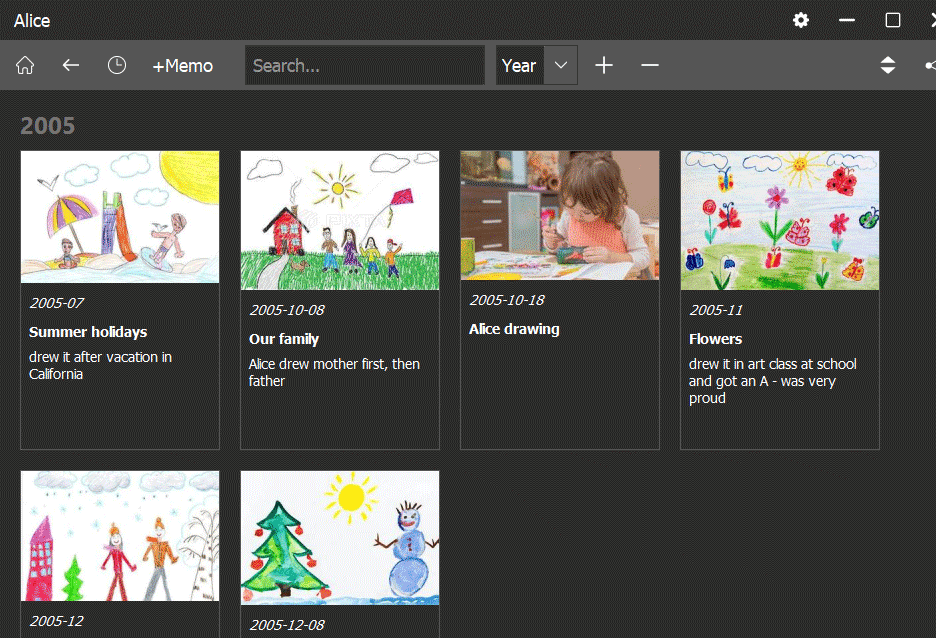
Children's drawings are sometimes just as interesting as their photos. They express child's dreams, interests and thought about current events. But what do we usually do with these drawings? We keep them for as long as we can, but then they get lost or damaged and eventually we throw them in the trash.
But why not take a little time to scan them or take a photo with your phone? Well, there's usually no incentive to do this. Because these scans/photos will get lost in the endless black hole of our photos. But with Memo app, you can bring order to this black hole of both photos and children's drawings.
Every kid's drawing is a memory (memo) that should have a date. After all, it's not just the image that's important, but also when it was drawn and what events were surrounding it. If you do have photos of old drawings, it can sometimes be very interesting quest for you to figure out when exactly they were drawn. You can also add a title and description to each drawing - this will help you find it in interesting contexts later. For example, if your child has become a programmer, you might accidentally discover an old computer drawing they made at age four.
You can create a separate tag in Memo app for these drawings, but it's better to include them in your child's main tag so they blend seamlessly into the history. Don't scan every drawing, as this can clutter the history. Save only the most interesting, important drawings related to specific events or those your child was especially proud of - even if it was just a coloring page they hung on the wall.
Posted: October 11, 2025